

I’ve had quite a few questions about how I made my first digital information product “live.”
It’s not really a simple process. Truthfully, my husband (I think most of you know “David Merrill 101”) did the bulk of the technical work, and I focused on actually creating the product.
Now that the product is “live,” I’m focusing on the marketing. But that will be another post altogether.
3rd Party Integration
First of all, my product is called “Blogging Magic”. I wrote about it pretty extensively in my last blog post, so there’s nothing more to say about the product here.
But here’s the mechanics of getting a digital product to go live.
We used what’s called 3rd party integration.
The 3rd party in our case is JV Zoo.
It doesn’t have to be. There are plenty of digital marketing platforms you could use to offer your product in the live marketplace.
Probably the one most people are familiar with is ClickBank.
It’s really just a matter of doing some research as to the terms and features of each platform. Then you make a business decision as to which one fits your needs and goals best.
For us, we chose JV Zoo.
Integrating With Your Product Site
Since I’m not technical, I’ll explain how this works from my perspective.
We have a product site that “houses” our digital products. It’s called WhirlwindSuccess dot com.
Here’s what it looks like.
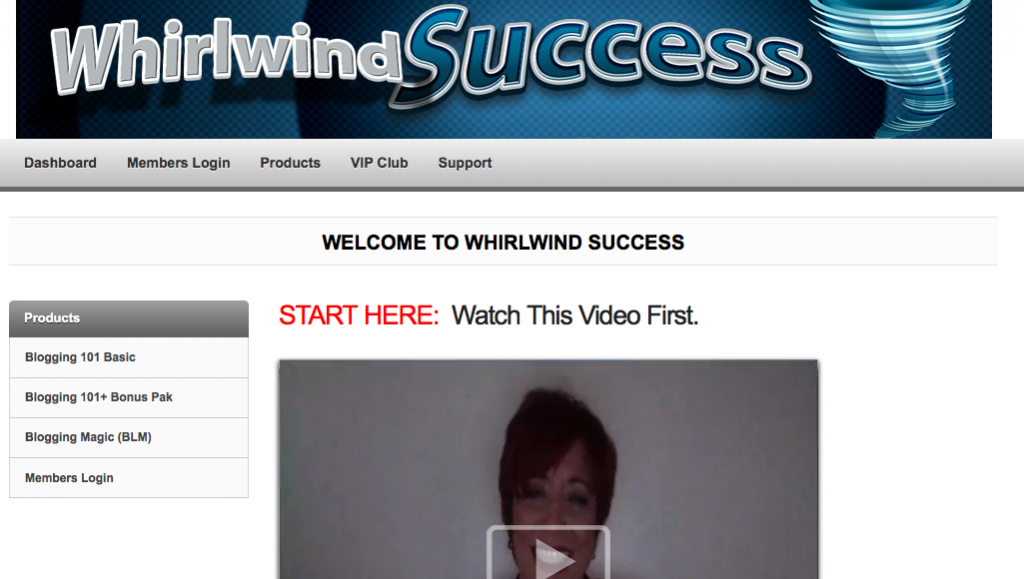
When somebody buys “Blogging Magic”, they login credentials to access that product on the WhirlwindSuccess site.
Those credentials (username and password) are manufactured by our membership site plugin, and buyers are emailed those credentials immediately upon purchase.
So, that’s how the place they buy Blogging Magic” from (JV Zoo), gets integrated with the actual product. Remember, the product is not “on” JV Zoo, it is on our WhirlwindSuccess site.
There’s actually a second way a buyer can get access to the product site. JV Zoo immediately sends a receipt with their own access portal.
Either way, it works the same. Somebody buys the product via JV Zoo, which then integrates the purchase with access to our site.
Getting Buyers on Your Email List
When somebody buys your product, they also “tell” JV Zoo what email address they want to use to access it.
That email address is where they get their login credentials so they can use the product. It’s also, though, the same address the vendor (me, in this case) can use to send newsletter auto-responder messages as well as broadcasts.
That’s how you build your mailing list of “buyers”. It’s different than your opt-in email list, which is usually people who have no bought anything, yet.
How Do I Pay Affiliates?
This gets back to the 3rd party integration.
One of the big reasons to filter this whole process through JV Zoo is that they manage the affilates.
So, when a product sells, JV Zoo sets aside part of the profit for the vendor, and the other part for the affiliate. They then pay the affiliate directly and we don’t have to worry about all that 🙂
Vendors who choose to sell products on their own sites directly, must then handle all the affiliate payments themselves. There are plugins that are supposed to make that easy, but, hey… we’ve got enough to do with marketing.
It just didn’t seem like a good use of our time to spend it doing accounting. We’d much rather focus on marketing and building a community.
Just The Beginning
That brings me to the last point in this process.
Now that the product is done, and it is truly “Just The Beginning” for us.
The product is “done” means that it’s done from a production perspective.
But when people buy our product, they also enter our “community”.
We have standard support for them, of course. In addition, though, they get access to our closed Facebook Group, our Skype Hotline, our webinar trainings and even a live strategy session. We’ve even built some “done for you” bonuses into one of our back-end offers.
Finally, we will be building a membership community on the WhirlwindSuccess site, so that people can join for regular trainings and personal assistance.
So, believe me… making “Blogging Magic” live is just the beginning.
Now, it’s time to engage, get personal and build a thriving community.
I hope this answers a lot of the questions I’ve been getting from folks about just how we have gone about breathing life into a digital product, and delivering to the live marketplace.
Have you considered creating a product, but just didn’t understand how to make it happen in the real world?
I hope this has answered most of your questions.
I’d love to hear your thoughts and further questions in the comments section below.
I’d especially like to hear if you have thoughts of creating your own product?
Blessings,
Donna
……..


Comments are closed.