
 Do you need Google to get people to your blog?
Let’s face it.
Most bloggers put a great deal of effort into trying to get Google to rank their blog posts high in the search results.
Why?
Because they figure that’s the way to get their blog noticed.
And it’s free.
Special: Join Donna’s Free VIP Blogging Club – Free Now… Free Forever
So here’s the way that works.
Get Google to rank your blog post high in it’s search results.
Then, when people search for your topic, they will find your article.
It’s great in theory.
And you will get lots and lots of free traffic if you get ranked on the first page of the search results.
But…
What are the odds?
What are your chances to
get people to your blog via Google search?
Okay.
Let’s do a little, off the cuff, case study.
This is just to see what the odds are that you can actually get people to your blog via Google search.
Let’s say you wrote a great blog post called “The best fly fishing techniques that I use every day.”
Do your SEO
So here’s the basics of what you’re supposed to do, to get this article ranked high in the search results.
First, come up with a good title.
Then, pick your main keyword or keyword phrase based on whatever keyword research you do.
In this case, let’s say that your keyword phrase choice is “best fly fishing techniques.”
Now you use that keyword phrase in your title, and in the body of your blog post.
Use it in the first and last sentences, or paragraphs, of your article.
Come up with some good images, and attach that keyword phrase to your images as “alt text.”
Put the keyword phrase in your meta description that people will see in Google’s search results.
Publish your article and hope that Google ranks it high for that keyword phrase.
That’s the basics.
You can get far more into the details, and a good SEO expert will show you many nuances to this process.
But, again, those are the very basics that bloggers will usually do in hopes of getting free Google search traffic.
Monitor how effectively Google gets people to your blog
Now you look in the search results to see if your article got traction within the Google search results.
You want to monitor this for your keyword phrase “best fly fishing techniques.”
So I did a case study review today, of how articles actually fare for this keyword phrase at this moment.
In the next section, I will show you what I found.
And this is what you want to understand as you embark on the arduous task of trying to get your blog posts ranked high on Google search.
The anatomy of Google search results
Now, the precise “anatomy of Google search results” changes all the time.
You and I have no control over this.
It’s all up to Google.
But right now, this is what the structure looks like.
Featured snippets
The first thing you see in the search results for “best fly fishing techniques” is the featured snippets section.
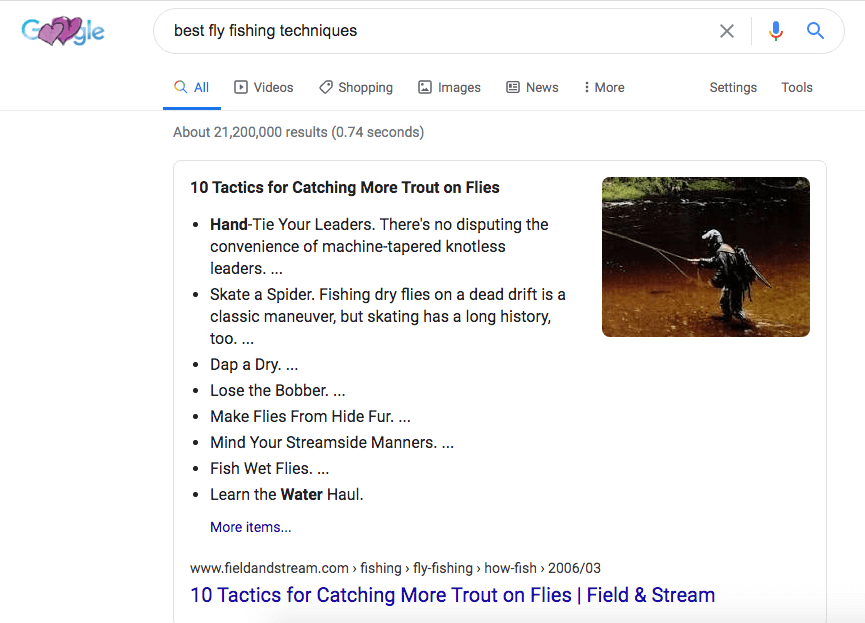
So, here, Google is displaying a snippet, or section, of a blog post they have selected.
This is to give the searcher a good snapshot of just what the “best fly fishing techniques” are.
The snippet in this case study is from a Field and Stream blog post, and that article is linked to.
So this is really the very first search result.
There are things you can do to help you rank in Google’s featured snippets.
But notice, the article Google selected is from a major, big-time source: Field and Stream.
It’s not from “Bob’s Fishing Blog” or any such thing.
So if you’re just a solo blogger, what are the odds that your article is going to be used in this section?
Not great, I would argue.
See, too, that this article is from 2006.
So once Google has chosen what it considers to be a reliable, high authority article, it may stay there for many years.
Do you think your article can crack that Google code?
And notice, too, that if the searcher wants to know more details about fly fishing techniques, Google gives them a link to see “More items.”
Well, if you click on this, it goes to the very same Field and Steam blog post.
Special: Join Donna’s Free VIP Blogging Club – Free Now… Free Forever
The point is this.
If somebody is searching for this topic, they are immediately taken by the hand and led to this one article.
And research has shown that the most valuable place to get displayed on Google’s first search page is at the top, and at the bottom.
So, to be at the top, and have the very best chance to get people to your blog, you’d have quite a task on your hands.
Videos
The next thing searchers find is a section called “Videos.”
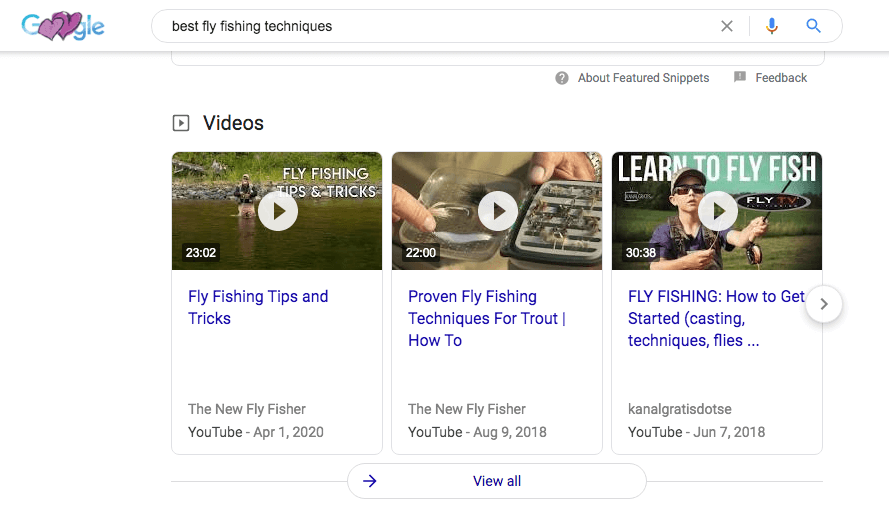
These are related videos for the search term.
I want you to notice three things, here.
First, each of the videos shown are from YouTube.
That’s a tip-off.
You can definitely improve your blog post rankings with YouTube videos.
That’s because Google owns YouTube and wants to send searchers to that platform.
Second, you see a link to “View all.”
So, you see, Google is giving you a bunch of videos to turn to before continuing it’s regular blog post search results.
And if that’s not enough, they link to a whole bunch more related videos, almost exclusively from YouTube.
So if you want to get people to your blog, you still don’t have a spot on Google’s first search page.
Unless you have a high-ranking YouTube video embedded on your blog, of course.
People also ask
The next section you encounter as you scroll down the page is “People also ask.”
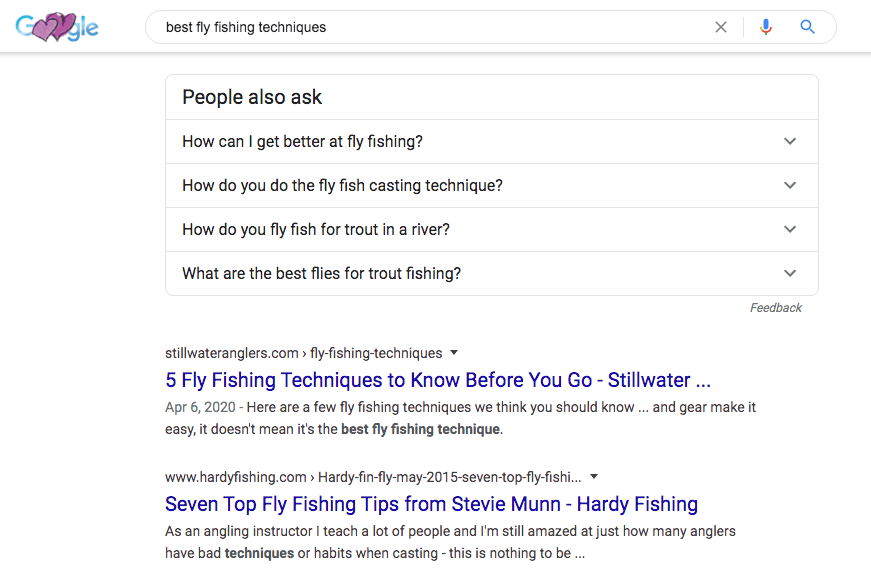
Here, you get questions related to the primary search “best fly fishing techniques.”
Right below the “People also ask” section, the organic results are resumed.
The “5 Fly Fishing Techniques…” and “Seven Top Fly Fishing Tips…” are organic search articles.
But first, people see the “People also ask” section.
And understand this.
Answering questions is the newest way to dominate Google search.
This is more compelling than the organic search articles because they are posted in a Q&A format.
People like Q&A because they are direct, to the point, and seem more interactive.
If you click the down arrow to the right of each question, you get a brief snippet to answer the question.
But you also get a link to the full article, which, of course, takes you away from the search page.
And, in addition, each time you click the down arrow, you get more and more questions that “People also ask” about your topic.
Every single one of them leads searchers to another article.
So, a researcher is pretty consumed with information and article links to your keywords long before they even get to the organic results.
And those organic results look pretty bland and vanilla in comparison to the ones that Google features with videos, images and Q&A formatting.
That’s a pretty tough way to get people to your blog, in my opinion.
Images
Your eye is quickly taken to the “Images” section immediately after seeing a couple of organic results.
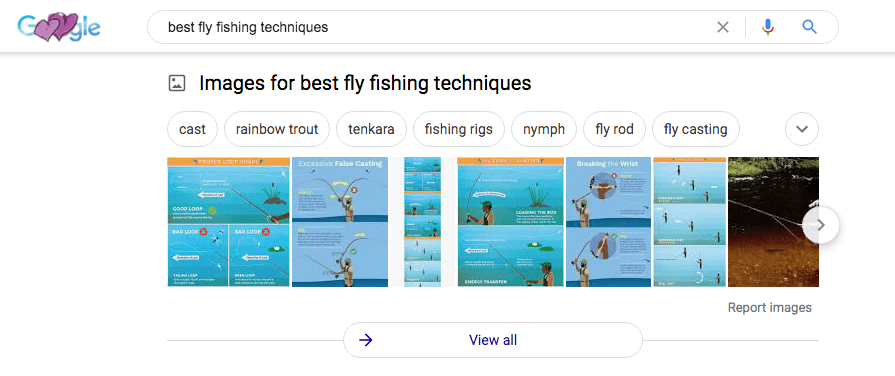
This is obviously way more eye catching than the simple organic results text links.
After all, they’re images, right?
Much more fun and interesting to look at images, and guess what.
Each image links to yet another article.
Not only that, but if you click on the “View all” link, you’ll be taken to a full page of nothing but images related to your topic.
It’s an easy place to get lost, isn’t it?
Of course, the real trick to get people to your blog is to learn how to rank first on Google images.
So now, your SEO efforts have disappeared down another rabbit hole.
Organic search results
You see 3 more organic search results after scrolling past the Images section.
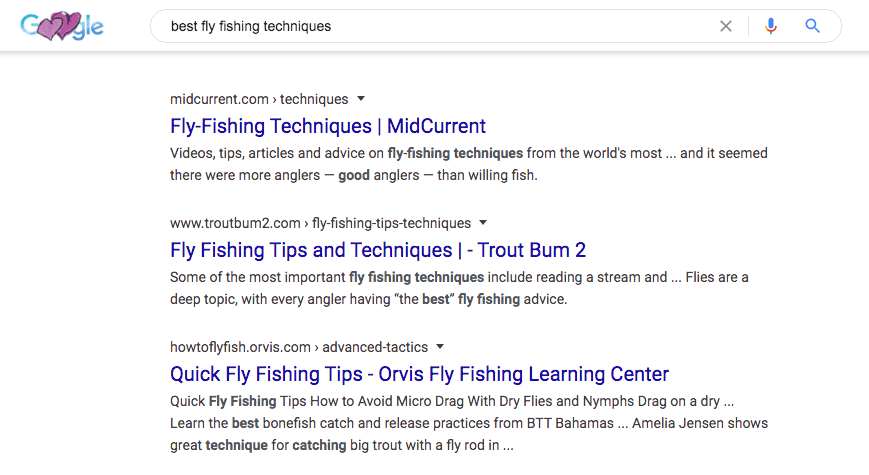
This is where you’ll try to land a spot with your SEO efforts, in order to get people to your blog.
“People also search for”
Next, there is the “People also search for” section.
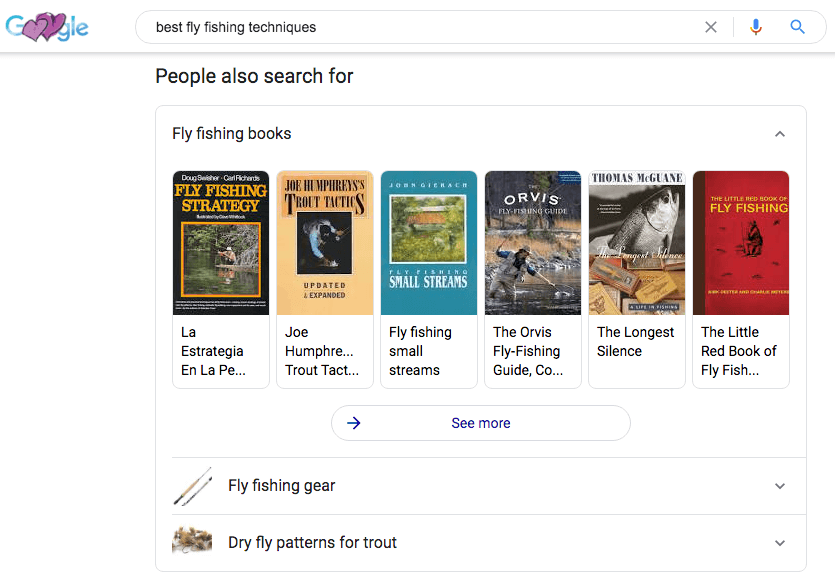
In this case, you see links to a lot of books on your topic.
This section features images, again, not just plain text as in the case of organic links to your blog posts.
So, again, they are much more likely to catch your eye.
In addition, there is a “See more” link to get even more book links related to your keywords.
And, in addition to books, there are other sub-topics that people search for.
Even the subtopics have eye-catching thumbnail images, as well as click down arrows that reveal more information.
Related searches
Finally, you are shown a list of clickable topics related to the primary search term.
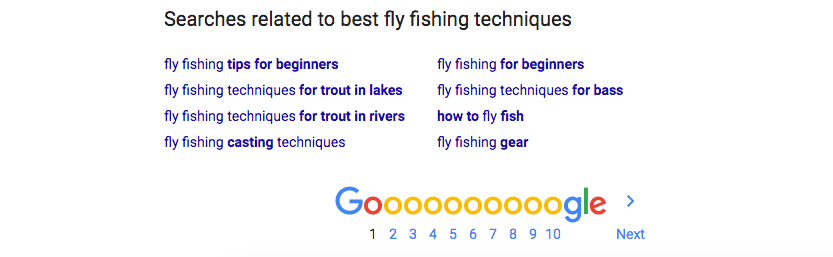
You see this when you scroll to the very bottom of the search results of page one for this keyword phrase,
What is most significant about this is the positioning on the page.
The top of the page and the bottom are the best positions to get found, as I’ve pointed out.
Special: Join Donna’s Free VIP Blogging Club – Free Now… Free Forever
That’s because people searching your topic will probably look at the first part of the page before scrolling down.
But almost as good a position is the bottom because people may look at the top of the fold, first.
If they don’t immediately see what they want, though, they are more likely to quickly scroll all the way to the bottom rather than navigate everything in between.
And as you see, what they will find there is more links to take them away from your keyword phrase, and onto alternatives.
Obviously, that will not help get people to your blog.
Do you need Google to get people to your blog?
A while back, the first page of Google featured a clear list of 10 organic search results.
Then, paid results started taking up a few of the top positions.
There was some hope for getting some clicks to your articles with that format.
But only if you did a really great job with SEO.
For the search term I just used in this case study, Google returned over 21 million results.
That’s right… 21 million!
Your blog post would have to be considered awfully good to beat those odds.
And your blog would have to be pretty well established, and considered a high authority site.
Otherwise… well, all your hard SEO work won’t get you far.
Now there are options to getting people to your blog.
I’ll develop some of those ideas in upcoming articles.

Meanwhile, I’d love to have your comments below.
Tell me…
Do you think you need Google to get people to your blog?
–Donna
PS: Kindly share this article on your favorite social sites. Thanks much 🙂


Comments are closed.